Most camera manufacturers use a proprietary file format to store the 'raw' data from their digital cameras. In the short history of digital photography, manufacturers have dropped support for asset management applications, abandoned settings from older RAW processor versions and changed the methods of storing basic camera settings without documentation.
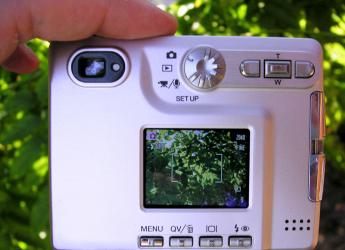
Photo credit: Dirk Tacke
The undocumented changes in RAW file formats have already cost users of RAW images time and money.
The OpenRaw movement wants camera manufacturers to publicly document their RAW image formats -- past, present, and future. The goal is to encourage image preservation and give creative choice of how images are processed to the creators of the images. To this end, OpenRaw advocates open documentation of information about the how the raw data is stored and the camera settings selected by the photographer.
OpenRaw has created a Web site to give photographers and everybody interested in an open documentation of proprietary RAW formats a place to voice their opinion and to encourage camera makers to openly document their proprietary RAW formats.
If the current practice of hiding data and dropping support for older models of cameras continue, countless images will be unreadable with no software to decode them. Only openly documented RAW formats will make it possible to decode RAW files in the future.
A RAW file is a file format created by a manufacturer to contain the (actual) raw data from a digital camera. Currently each manufacturer's format is proprietary, different and typically has multiple variations for different camera models.
RAW files are becoming a popular choice for many photographers. Some advantages of RAW file formats include:
- Preserving the maximum amount of original image data.
- Greater creative control with digital images.
- Enabling the highest possible image quality from each file.
- Flexibility with settings such as exposure and white balance after the exposure is made.
- Removing the limitations of fixed in-camera processing.
- Improving image quality over time as RAW processing software capabilities advance.
- Providing an archival image format that could potentially rival the usefulness and longevity of film.
While RAW file use is increasing, the problems created by their closed, proprietary format are becoming more evident.
Closed, proprietary, RAW file formats present many immediate and future challenges for photographers and anyone who uses digital images. These problems include:
Limiting processing choices and creative freedom.
Access to the raw image data provides more control over the process of creating a final image. Public documentation of RAW file formats makes it easier for alternative processing software to be developed. This will give photographers more options to realize their creative vision
Reducing choices for software that matches workflow needs.
Most image processing software is tailored to one type of workflow, but the needs of photographers vary widely. News photographers may need to batch process a large number of images in a short time while fine art photographers may spend hours with each photo fine tuning incredible details. Only open RAW file formats allow 3rd party developers to create the wide variety of image processing software necessary to allow all photographers to work effectively.
Increased probability that as time passes a RAW file will be unreadable or cannot be used to reproduce the photographer's original interpretation.
Many photographers already have extensive archives of RAW files but are just now realizing the risk of using RAW formats as their primary archival storage. No one can predict how long a particular RAW file will be supported by a camera manufacturer (not even the company itself).
Increased costs and slowed development of image processing software.
With over 100 RAW format types, reverse-engineering every type has become a daunting task. Developers of cataloging, archiving and processing software are required to spend valuable resources decoding and interpreting the proprietary formats. Additionally, most image file formats allow for extra data that can be used to organize and describe images. This data is critical for efficient workflow in many sectors of the photography business. Due to lack of documentation, however, many developers restrict the addition of extra data by their software because of the real risk of making the file unreadable.
Many have suggested (and Adobe has created) a common, open file format for RAW image files for all camera makers to use as a solution to the RAW problem. A common, openly documented RAW format used by all manufacturers could fulfill the goals of OpenRAW, but it is not the only way to reach them.
Open documentation of all RAW files by manufacturer's is the quickest way for OpenRAW's goals to be reached.


