this is an amazing website and the white paper is a great for professional educators such as myself. i believe podcasting will always be linked with audio and perhaps the term applied should be vodcasts, even though as you say the 'pod' reference is misleading since you don't need an ipod per say
Is Video-Casting The Next Big Thing? Move Over Podcasting
Sponsored Links
As surely as day follows night, video follows audio. The increasing popularity of podcasting, both as a distribution channel for audio broadcasters and as a 'radio-show' delivery manager for subscribers, inevitably means that insatiable techies will turn to video as the next medium to 'podcast'.
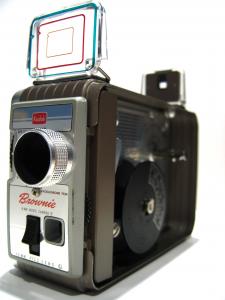
Photo credit: Roque Corona
'Video-podcasting' isn't the right name for this newly emerging phenomenon. Video files can't be viewed on iPods. Not yet.
'Video-casting' (for want of a name) is all about creating a video production, inserting the resulting digital video-file (via enclosures) into an RSS feed, then making the RSS feed discoverable, by submitting it to a feed directory.
As a 'video-cast' subscriber, you search the directories for potentially interesting shows, select those you wish to follow - and as soon as a new show is made available online, you get notified (email, RSS feed, IM message). You then click on the link to the video-file in the notification message and download the file to your computer - to be watched in your browser at your convenience.
So, does 'video-casting' have the potential to become the blogoshere's 'next big thing' and will it evolve into something much bigger than 'podcasting'?
Quite possibly.
As information consumers, we like audio, especially for receiving news.
But don't we prefer video combined with audio? Like in a TV show? Well, perhaps in certain contexts, such as for news programs, documentaries, chat shows (you have to see their faces for the best effect).
Audio broadcasts are great when we're listening-to a podcast via our MP3 player, say while driving. Video-casts are, at least for the time-being, better consumed at the desk-top. Soon, inevitably, you'll be able to view them on your mobile phone.
But it is on the production-side that video has the advantage of audio. Quite simply, it's easier these days to produce video that audio. Mobile phones are increasingly integrating video-recording facilities into their camera features. Web cams and video-cameras are proliferating as the technology gets better and the prices fall.
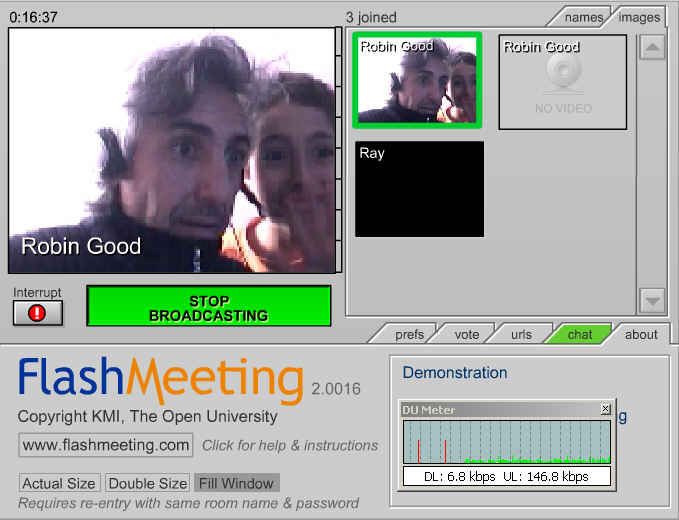
The recent catastrophic Indian Ocean tsunami is witness to this phenomenon - an enormous number of amateur videos recorded the event, as it happened, and these were then made almost instantaneously freely available over the Internet. The demand to view this footage has been colossal. Over the course of January 2005, Robin Good's collection of much of this footage received over one million page views.
To date, where audio podcasts have had the advantage over video-casts has been in their ease of distribution and consumption. Once you've made an audio recording, you simply submit it to one of the podcast directories, such as iPodder.org or the recently launched The Podcast Network.
Consumers need only to find your audio-file on the directory to be able to download it there and then to listen to (either on their computers or MP3 players). Or they can subscribe to an RSS feed of your recordings and be alerted whenever you make a new one available. This has not been really achievable, up until now, for video-casts.
Here are some useful links on podcasting:
- ipodder.org
- Podcast Bunker
- Podcast Alley
- Podcasting News
- podca.st
- The Podcast Network
- Podcast Central
- Podcast411
- Engadget How-To: Podcasting
A number of new tools and applications have recently been launched which will help to catalyze the popularity and development of video-casting.
Video-cast Production
Visual Communicator is a:
"simple-to-use, affordable software solution that makes it a snap to create your own polished video news broadcasts in minutes instead of hours. It allows you to capture attention, establish a personal one-on-one connection with your viewers, and deliver journalistic content like never before--with the professionalism of a real network TV studio.
With a built-in teleprompter, television effects and the option to broadcast live, Visual Communicator also replaces the need to spend thousands of dollars on specialized equipment. It even gives you the power to create once and then distribute via websites, video tape, CDs, DVDs and more. With Visual Communicator, you can create "the look of Prime Time" ...in no time."

Video-cast Distribution
ANT (currently only available for Macs but with a Windows version on the horizon), is:
"An RSS video aggregator and media player currently available for Mac OS X 10.3 Panther.
With ANT, you can subscribe to any RSS 2.0 feed with enclosures. ANT will automatically download fresh audio and video content for you to watch and listen to. It can playback any media format, and even syncs audio files with iTunes so you can easily add them to your portable MP3 player.
ANT is a stage that allows anyone to share their original video creations -- from personal video journals made by an emerging community of videobloggers, to the growing ranks of distributed citizen journalists, to home video simply intended for friends and family."
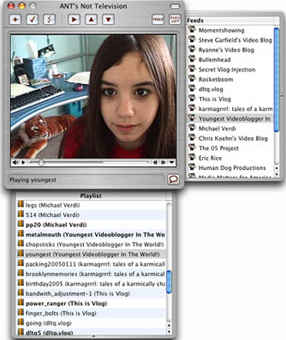
ANT's Website provides a user-friendly explanation of how it works, for both Non-Geeks and Geeks:
For Non-Geeks:
- Easily subscribe to your favorite videoblogs in ANT.
- ANT automatically downloads the newest videos as they are posted.
- All you do is watch.
- ANT plays all videos formats in a cool viewing screen on your desktop.
- ANT automatically moves old videos you've watched into the TRASH so your Hard Drive will NEVER overload.
- You can drag your favorite videos from the ANT playlist to a folder for safe-keeping.
- You can easily import lists of cool videoblogs into ANT, so you can start downloading videos right away. Visit the Directory to find new feeds.
For Geeks:
- Subscribe to RSS 2.0 feeds with enclosures
- Download media automatically
- Play all media formats within ANT
- Save media files by drag-and-drop
- Import and export OPML feeds lists
The increasing popularity of Video-blogging, or vlogging, will also help to drive the growth of video-casting.
From the same stable as Serious Magic's Visual Communicator comes Vlog It!. Previewed at the DEMO@15 show and soon to be released, Vlog It! claims to be:
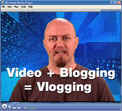
"the first PC software designed specifically to help you create the most powerful kind of blog - a video blog. Even if you have no video experience or technical skills, Vlog It! makes it easy.
Just place a webcam or camcorder on top of your monitor and connect it to your PC. Vlog It! gives you an on-screen teleprompter just like the newscasters use so you can vlog quickly and confidently. Just type in your notes, hit record and read. It'll look like you're staring into the camera as you read your notes. You can even pause the teleprompter for the ultimate form of self-expression--the tangent.You also can instantly drag and drop still pictures, video and sound clips from your camera, camcorder or cell phone. Simply slide the image or clip alongside your notes until it lines up with the correct words. Placing your stills and clips next to the words you're going to say causes them to automatically appear on-screen when you reach that point in your vlog. No director or crew required!"
In fact, Userplane AV Blogger got in on the act first, as reported here.
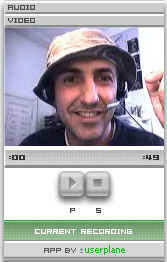
The pieces are coming together to enable video-casting to be the 'next big thing'.
Start creating.
Readers' Comments
| 2006-10-06 18:03:53 |
| 2005-02-28 19:17:49 |
Bobby, Here is a pretty good list: http://www.cadenhead.org/workbench/entry/2004/12/28#2425
| 2005-02-27 01:17:44 |
Gabe Grayum, do you know any aggregator that support multipl e enclosure per item ?
| 2005-02-25 18:32:11 |
Interesting article; your description of video-cast sounds clunky ...get an email, click on a link... I think that like "podcasting" most users would want it to be automated and transparent. Also the issue with RSS 2.0 isn't quite true. The spec doesn't say that there can only be one enclosure per item. It is left up to debate and implementation. Some people have implemented it that way, others are emplementing it with multiple enclosures per item.
| 2005-02-23 05:34:09 |
If RSS 2.0 isn't the solution, what is? Who's got the magic bullet and who supports it?
It's doing the job, and we're using it until something else better comes along. We're all ears!
| 2005-02-23 05:08:20 |
as for terminology... i am leaning towards vodcasting (Video On Demand Cast)
there is alot of debate... some say podcasting is a term to describe the delivery, not the content... so it should apply to any media format... and that the term was not made up for ipods stricty.. but i believe it was a direct ipod incarnation, which is annoying.
Also, since podcasting and audio is the frontrunner in hype... i think it will always be associated with audio to most people. I see the logic in using videopodcast and audiopodcast, but i dont like it much... i dont like the whol e 'pod' thing. These vodcasts will often be viewed on a puter, and even audicasts are commonly listened to on a puter, not just mobile devices.
So, pod as an association with a physical object that holds 'stuff' is not 100% relevant.
| 2005-02-20 14:47:16 |
Well, audioPODcasting and videoPODcasting seems as perfect terms to me.
(I admit I don't know where the the technologies' convergence will take us, nor if a single term will be used and what it will be)
BTW I'm already textPODcasting my blog's entries (for iPod Notes).
The issue with RSS 2.0 is that it allows only 1 enclosure and force us to pull it out from the entry's body (where it should naturally be).
Think about the pain for implementing the RSS 2.0 enclosure element in blogging tools.
Supporting rel="enclosure" anywhere would simplify everything.
And anyway, I guess the purpose of enclosure is automation.
But is automation smart ? If I set my aggregator to automatically download all enclosures, I will get over 50% of junk !
Even for a single feed I can't be interested by all entries.
This particular automation is opposed to the idea of giving control/choice to users.
| 2005-02-20 00:22:14 |
BobbyMasteria,
Of course you're right about video-casting being aka "television", although in my mind it's more TiVo for Joe Public's video broadcasts.
So, if "video-casting" isn't the right term - what is?
And what's your issue with RSS2.0?
We're intrigued!
| 2005-02-19 19:36:39 |
Francis, of course video is the next step, but video-casting already exists, it's called television, so it's not the proper term to use for blogs.
The evolution process will rely on PODcasting because PODCasting is neither limited to iPod, nor to audio.
The main brake to PODcasting's development is RSS 2.0 (yes you read right).


