This is the best free digital image editor for Windows PCs that is available out there bar none. I don't know how I have been missing this tool, but you can be sure that, if you are a non-technical user, this is the only software you will need to do 99% of your digital image editing tasks.
Photofiltre, as this digital image editing is named, is the brainchild of Antonio Da Cruz and Benjamin Fournier who have done a wonderful job in creating a simple, easy-to-use tool. This is a perfect tool for anyone with some basic familiarity with digital imaging who wants to avoid getting into the complexity and price tag of Photoshop or Paint Shop Pro.
Photofiltre 6.1
http://www.photofiltre.com/
 = must have
Software Tool (Win)
FREE
Photofiltre does most everything one would need and then some more:
- file format conversion
- batch editing operations
- manual and automatic selections
- selection of editing paths
- antialiasing
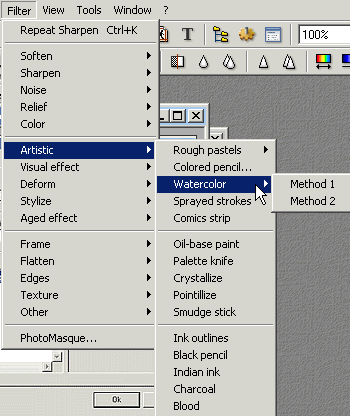
- over 100 pre-set image filters
- resizing, cropping, rotating
- masks
- transparency
- multiple undos
- multiple images open at the same time
- integration of text into an image
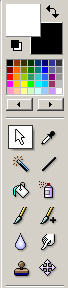
The interface is straightforward with a toolbar that compromises most frequently used functionalities under easy to recognize icons.
After a few minutes of familirization Photofiltre feels smooth and intuitive as you one would expect it to be. The program loads fast and performs without hesitations.
Commands and menus are all laid ut according to familiar conventions and popular standards established by the more popular tools in this sector. Finding commands and controls is therefore extremely simple as just about everything is located where you expect to find it.
The array of default filters (without considering the optional plugins) is truly impressive and it offers everything you would expect from a professional imaging application.
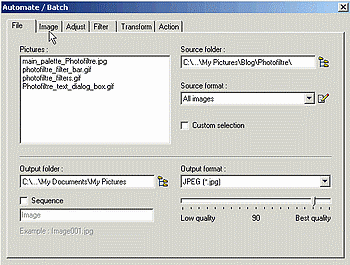
The automatic conversion and batch editing facility is worth per se some attention, as it can see many a task, especially when dealing with large groups of images comign from a digital camera shoot. You can not only convert in one click hundreds of images from JPG to TIF, but you can slso crop, brighten, apply filters, resize and do a vast number of all images unattended thanks to this great mini-app.
If you wonder what Photofiltre doesn't do the answer is easy: layers. Though image editing pundits will disagree, I personally find that this limitation, in the face of providing a free and easy-to-use tool that anyone can use, can only be considered a plus.
Amazingly enough Photofiltre is available in 11 languages including:
- English
- French
- Dutch
- Portoguese
- Spanish
- German
- Italian
- Russian
- Swedish
- Spanish Catalan and
- Czech
.
A multitude of masks and ready-made patterns are also available for download.
Photofiltre can be downloaded for free here:
http://photofiltre.free.fr/utils/pf-setup-en.exe (English version) 1.6 MB
Plugins for Photofiltre - a super collection of great plugins: from screen capture to fish-eye lens distortion correction and everything in between.
Gallery of images created with Photofiltre
Tutorials
Developement kit Sources in Delphi, C++ Builder, C and ASM - Version 1.0 beta, April 2004, 350 Kb
While for many years I have strongly recommended and used IrfanView (free) for most of my basic digital image editing tasks and Serif Photo Plus 5.5 (free), I must admit that I have switched to Photofiltre in no time at all. I would sincerely recommend Photofiltre to any non-technical user needing to work with digital images. At this price level there is really little else that can do this much.
Highly Recommended.


